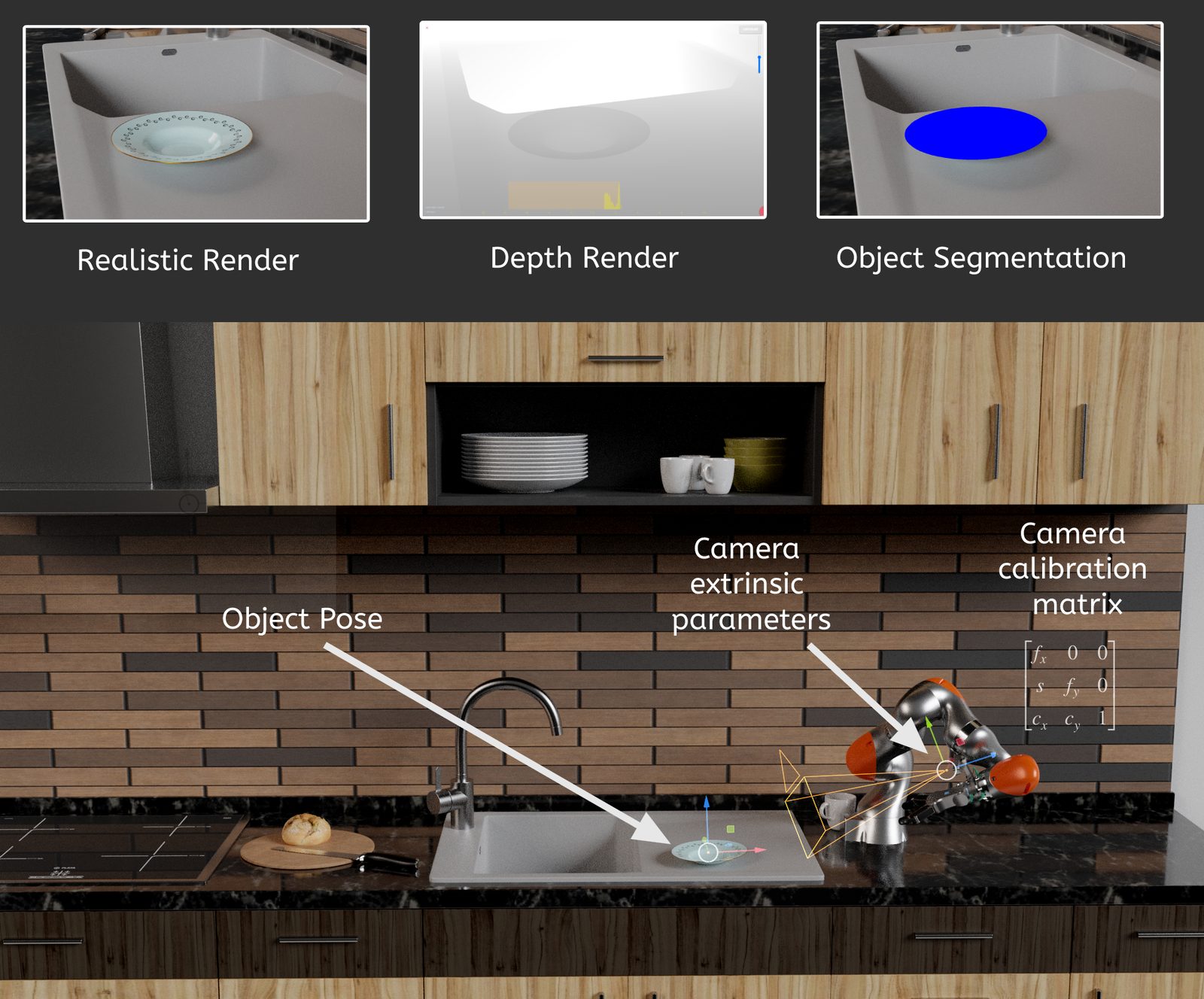
PoseGen outputs: realistic render, depth, segmentation, object pose and camera parameters
github.com/NarinderBrar/PoseGen
Project 5 · Research tool

PoseGen

A synthetic dataset generator for training 6D object-pose networks for robot grasping. It renders photorealistic images with exact labels that would be impossible to annotate by hand.

PythonBlender bpyCyclesCompositor nodesShapelyJSON
6Dpose per object
4outputs per sample
Kcalibration matrix
0manual labels
What I built

What every sample contains

01Photoreal render

Blender Cycles path tracing, so networks trained on it transfer better to real images.

02Depth map

From the compositor's Z pass, with configurable FOV, resolution and depth threshold.

03Segmentation

Per-pixel object mask, rendered from the same camera.

046D object pose

The object's 3×4 world matrix (rotation + translation) per sample.

05Camera parameters

Extrinsics as translation + quaternion, and the intrinsic matrix K computed from lens and sensor.

06Object contours

Projected silhouette polygon, from a union of the evaluated mesh's projected faces.

07Pose randomisation

Randomised object placement per sample, to cover the pose space.

08One-command pipeline

DatasetGenerator.py runs render → contours → depth → export for N samples.

09Research use

Built at IITL for robot manipulation research, inspired by the YCB benchmark.

Architecture

A batch pipeline inside Blender

DatasetGenerator.pyfor each of N samples · paths set once · runs inside Blender ① randomiseobject posecamera · scene ② renderCyclesphotoreal RGB ③ contoursevaluated mesh→ project → union ④ depthcompositor Zthreshold · scale ⑤ exportpose · K · extr.contours → JSON exported-data/ · one set per sample Blender is both the renderer and the geometry engine: the same scene gives the image, the depth, the mask and the exact ground truth.
Every label comes from the same scene and camera as the image, so the ground truth is exact by construction. There's no annotation error and no human labelling cost.
Design decisions

What I chose, and what I didn't

DecisionRejectedWhy
Synthetic dataHand-labelled photos6D pose can't be labelled accurately by hand; synthetic labels are exact and free
Cycles path tracingFast rasterised rendersPhotorealism narrows the sim-to-real gap
Scripted Blender (bpy)A custom rendererProduction-quality lighting, materials and assets for free
Contours from projected mesh facesTracing the mask imageVector-accurate silhouettes, independent of image resolution
K computed from lens + sensorHard-coded intrinsicsStays correct when resolution, focal length or sensor fit changes
Feature · camera model

From a 3D pose to a labelled pixel

camera image plane (u, v) P (object point) object frame The chain P_world = M_obj · P (3×4 pose) P_cam = R⁻¹ (P_world − t) (extrinsics) [u v 1]ᵀ ∝ K · P_cam (intrinsics) K = | α_u 0 u₀ | | 0 α_v v₀ | | 0 0 1 | α = focal(mm) × pixels per mm · u₀,v₀ = centre exported: pose 12 · extrinsics 7 · K 9 values
It's the same math as a vertex shader (model → view → projection), done in Python to produce labels instead of pixels. The network learns the inverse: from pixels back to P and M_obj.
① projected faces evaluated mesh (modifiers applied)→ camera projection per face ② buffered union one silhouette polygonShapely unary union + small buffer why a buffer: tiny gaps between projected faces would split the union into slivers; a small positive buffer closes them, then the outline is exported works for concave objects with thousands of faces
Feature · labels

Contours from geometry, not pixels
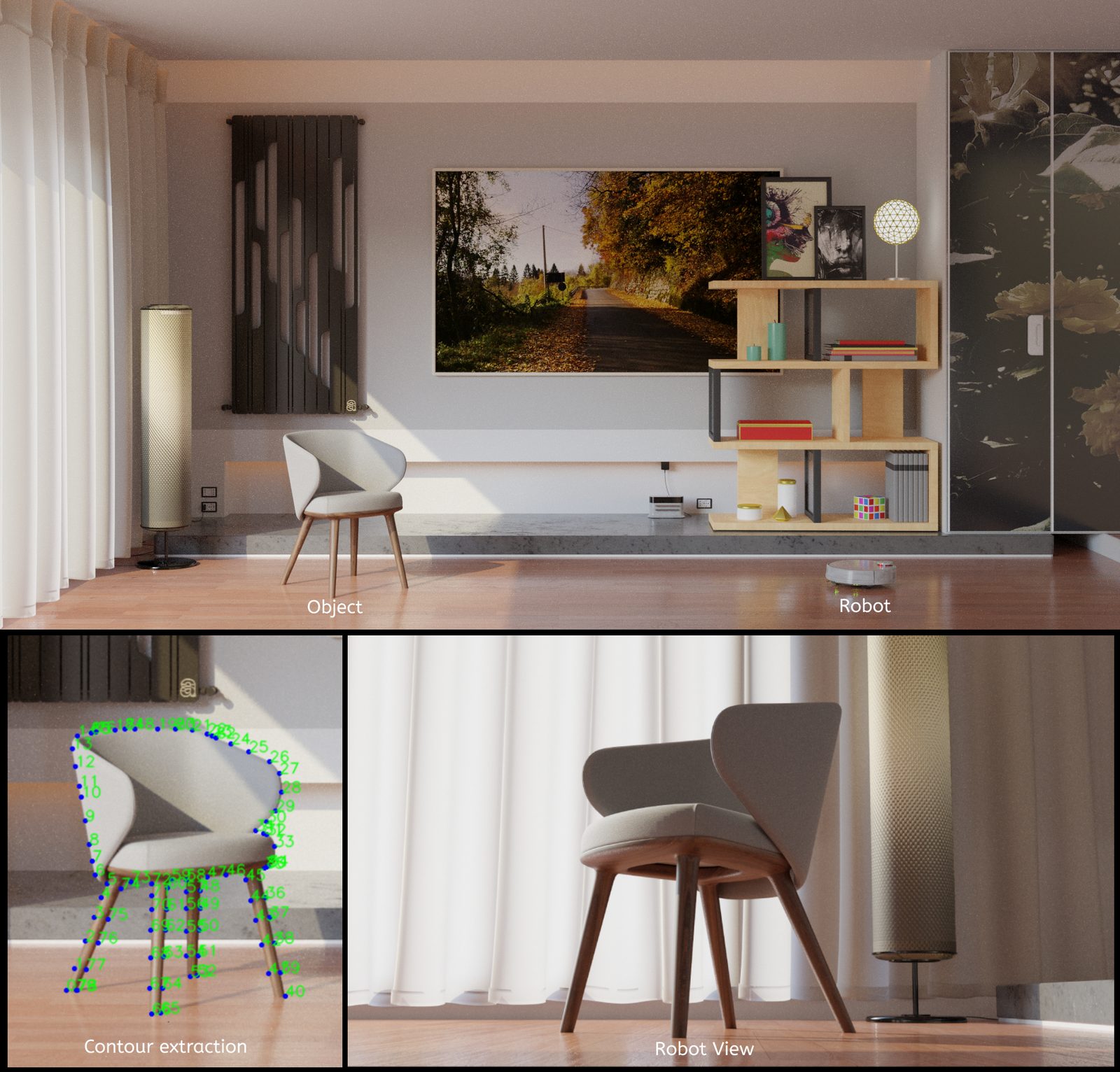
Contour extraction on a chair, and the robot's view
contour extraction · object and robot view
Data layout

What one sample stores

images · same camera, same frame RGB · Cycles depth · Z pass mask · segmentation JSON record · floats object pose · 12 (3×4) extr. · 7 K · 9 (3×3) contour · N × (u, v) t.xyz + q.xyzw from lens + sensor variable length format I'd move to next: BOP / COCO-style annotations, so standard pose-estimation tooling can read it directly
Everything a pose network needs, generated together: the input image, the auxiliary signals (depth and mask), and the exact targets (pose, camera, silhouette).
Honest limits & next steps

From research tool to data pipeline

  • Portability: remove the hard-coded Windows paths and move settings to a config file.
  • Domain randomisation: randomise lighting, backgrounds and textures too, not just pose.
  • Scale: run headless in parallel containers, one worker per sample batch.
  • Standards: export BOP / COCO annotations.
  • Validation: fine-tune on a small real set to measure the sim-to-real gap.

The shape of this pipeline (generate, process, label, export, in batches) is the same shape as an imagery ingestion pipeline feeding AI downstream services.
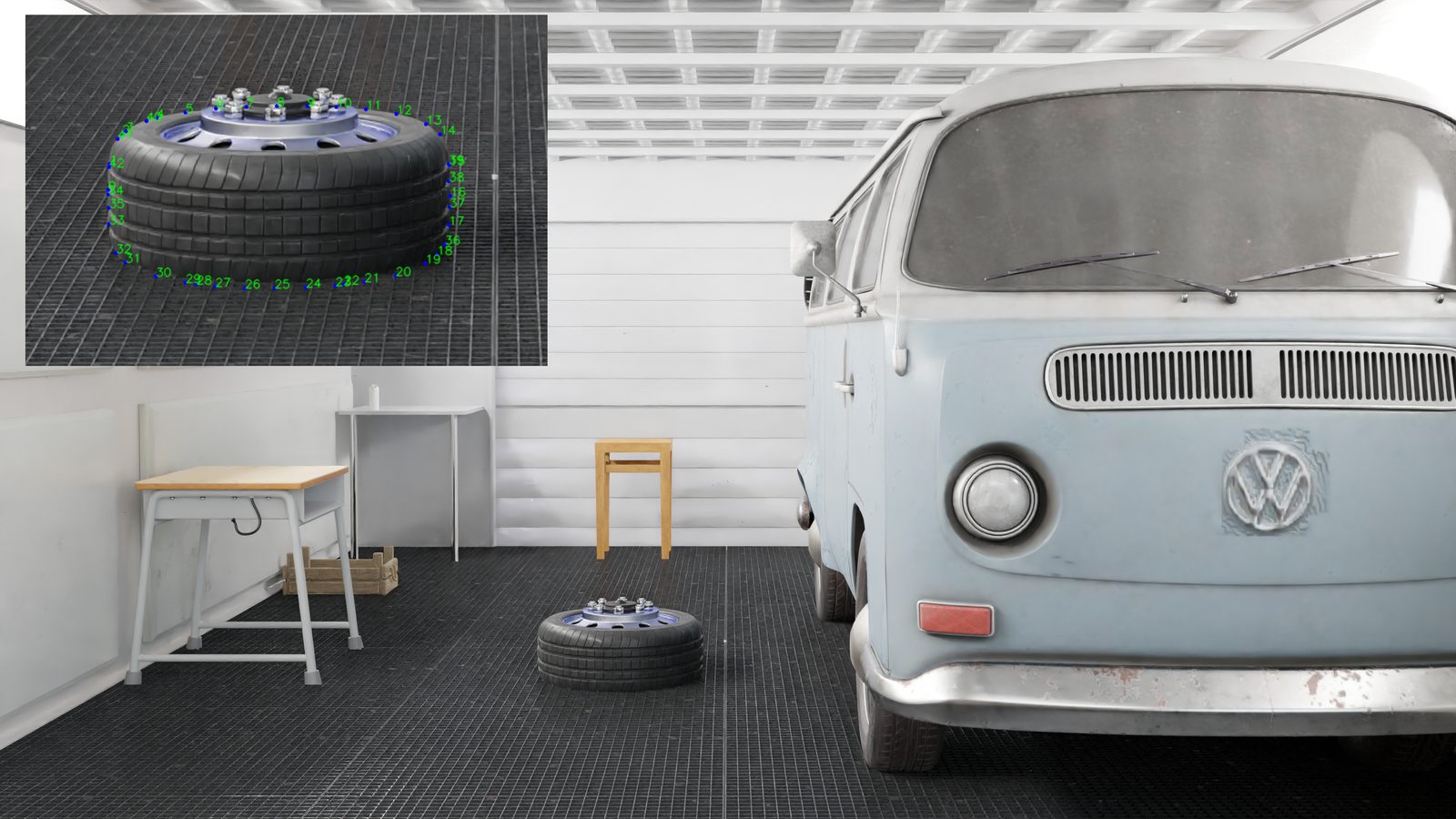
PoseGen scene with a tyre and its extracted contour
contour labels on a tyre in a garage scene